

Factorio has a reputation for being impossibly complicated, and when you see some of the abominations I built, that reputation makes sense. But the truth is, it's actually a lot more beginner-friendly than it seems at first glance. You just need to avoid a few traps that'll sneakily make your life hell if nobody warns you about them. So, let me warn you.
Video version of this guide (~12 minutes)
1) Automate
First tip, and probably the most important one, is that Factorio rewards laziness. If something can be automated, you should absolutely automate it. No exceptions.
So as soon as you're done with the Chris Redfield punching rocks stage of the game - aka the first 15-20 minutes - start setting up automated production for everything you use regularly: inserters, belts, assembly machines, miners - all of it.
Spending twenty minutes on this early will save you literal hours later. It's the difference between casually grabbing supplies while building, and running around like a headless chicken looking for loose scraps of iron.
2) The Main Bus
There are a million ways to organize your base. But when your game knowledge is sitting somewhere around zero, the easiest option by far is the main bus. And what's that? It's just a line. It really is that simple. Just put all your most commonly used resources - like iron and copper - into a line and then run it through your entire base.
So whenever you need to build something new, you just grab the materials off the line. And if you ever start running out of something, you'll instantly know it as the once mighty stream will become a sad and pathetic trickle.
It'll also make your base look halfway decent. Which, if you're anything like me and your natural instinct is to build something that looks like an active warzone, is a nice bonus.
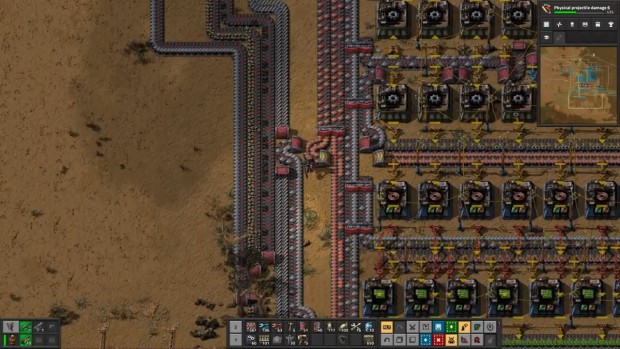
Simple lines make simple lives
3) Make Space
But here's the thing about the main bus - it only works if you actually give it room to breathe. And by extension, give yourself room to build.
Whatever size you think your factory needs, double it. Maybe even triple it. Your first factory is going to grow like a tumor, so if you don't leave yourself any space, you'll end up with pure spaghetti chaos.
The good news is that the real estate market on Nauvis is excellent. A massive plot of land will cost you nothing more than some walls and flamethrower turrets. So go big, and then enjoy being surprised when even that ends up being too small!
4) Expand
Here's something your starter patch of resources doesn't want you to know - it's not enough. It's going to run out fairly quickly, yet silently. And when it does your base is going to start coughing as things slowly but inevitably break down.
So like any strategy game, you need to expand. Go out and secure new resource patches. The emphasis there is on 'secure' - because your distant outposts are going to get attacked, a lot. So wall them off, decorate them with your fanciest turrets, and pack them full of mining drills. Do this and you'll not only breathe new life into your factory, but probably even double your usual output!
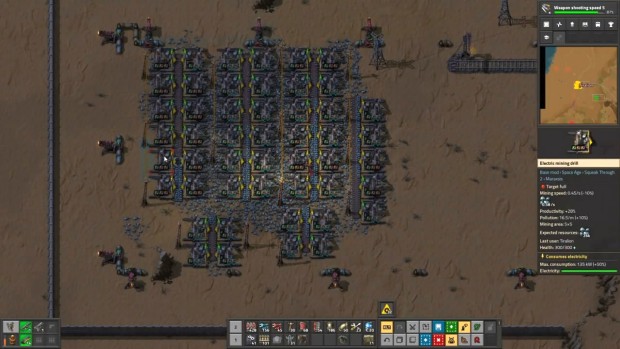
The more resources you have, the easier your life will get
5) There's No Rush
As you expand, the alien attacks are going to become more frequent. The space cockroaches will get bigger and much, much nastier. It might start to feel like the game is breathing down your neck - like you need to wrap things up before the bugs eat your entire operation.
But here's the thing - the pressure is mostly imaginary. No matter how horrifying the bugs get, a well-supplied defense will always hold the line. Always.
So don't rush yourself. Wander off. Spend an hour building a ridiculous train network. As long as you check in on your defenses every few hours, and replace any that go kaboom, you can play this game as casually as you want. And Factorio really is the most rewarding when you treat it like a sandbox, not a sprint.
6) Upgrade
But even with new expansions your factory will eventually start to feel sluggish. Belts will back up, the main bus will start to empty and everything will just feel off. This is your signal to start upgrading things.
After all, stuff like yellow belts and basic inserters can only do so much. Meanwhile the red belts and blue inserters are only slightly more expensive to make, and yet they are massively better. And this applies to all production buildings. So don't be the person who makes it to space while still smelting steel in stone furnaces like some kind of barbarian.
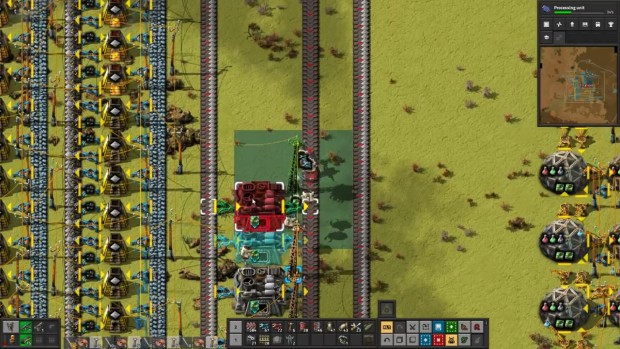
Higher tier buildings are much more efficient
7) What Next?
If you ever find yourself staring at your factory confused about what to build next - just look at your science packs. Factorio has some genuinely genius design here. Each science pack requires you to manufacture specific components, and those components almost always happen to be exactly what your base needs at that time.
For example, purple science needs electric furnaces - and no, I'm not going to explain how you shove one of those into a vial. And when the game's already forcing you to make those, why not take the opportunity to expand and upgrade your base at the same time? And this sort of logic applies to every science pack. So if you're ever lost, just follow those colorful bottles. They'll never steer you wrong.
8) Mechanize Yourself
As you progress through the game you'll likely start to get annoyed at the weakness of your flesh. Or as normal people would say it - you'll start to get really tired of being really slow.
So what do you do about this? You start wearing power armor of course! Each version comes with inventory slots that you can fill with all sorts of goodies - from robotic legs to turn yourself into some weird human-octopus hybrid, to night vision goggles or even the ability to walk over belts without getting launched across your entire factory. So as soon as you can, embrace the certainty of steel!
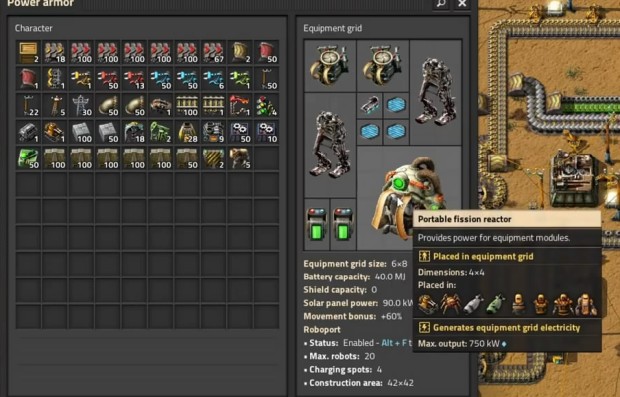
Just don't think about the nuclear reactor on your back
9) Modules
But it's not just you. Even your buildings can get some cool upgrades. Not exactly robot legs, that would be horrifying, but rather modules that can speed up production, make extra resources out of thin air, or slash power consumption to basically zero.
So as soon as you unlock them, start producing modules - especially the green ones in the early game. They're cheap, yet they'll give your factory a massive leg up. Eventually your goal will be to bling out every single building you own, but for now just start with a couple of your favorites and expand from there. It's well worth the trouble!
10) Basic Circuits
Factorio's circuit networks can do almost anything - including playing Doom. But you don't need to be a John Carmack style techno-wizard to be able to use them. Even the simplest 'if this, do that' setups will make your life much, much easier.
For example, you can make it so your assembler will produce exactly 50 splitters and then stop. That way you won't accidentally forget and find yourself drowning in an ocean of splitters five hours later.
So don't be afraid of circuits. Start small, connect some wires, and see what happens. The basics will click faster than you might expect.
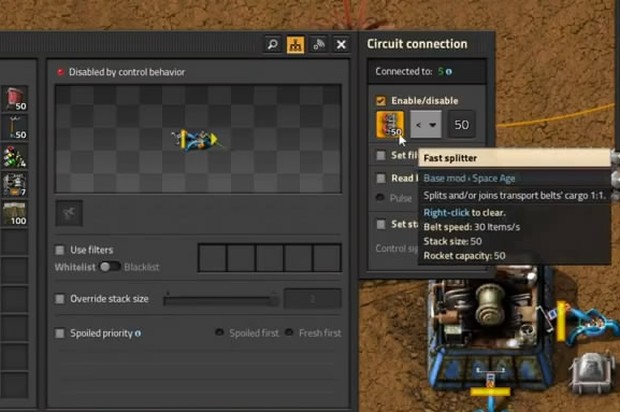
Circuits can be as simple or as complicated as you want
11) Robots
Which brings us to my beloved robots - autonomous drones you can either carry in your armor or just deploy across your entire base. Construction robots let you build, repair and deconstruct things, while the logistic bots carry stuff between chests.
Together they are, without a single doubt, the best thing about Factorio. Because once you have them, you'll never to place another pipe in an awkward corner ever again.
Just slap down a blueprint, step back, and watch your swarm of mecha-bees handle everything. So while learning how to use them well will take a bit of time, it's absolutely worth it.
12) Don't Copy
Once you have robots unlocked, you'll be able to start copy-pasting entire builds. A factory that would've taken you an hour to lay out manually can be built in ten seconds.
It's genuinely incredible... but, this will bring with it temptation to cheat - to look up perfectly optimized builds and just plaster them all across your base. I would highly, highly recommend you don't do that.
Factorio is fundamentally a puzzle game. The satisfaction comes from solving it. So copy-pasting someone else's answer is just robbing yourself of the best part of the experience. Embrace the jank, and just make your own builds.
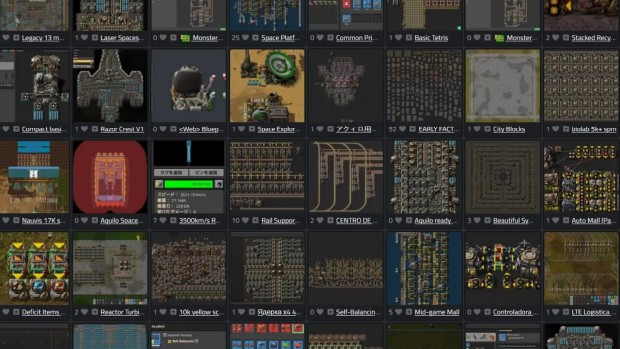
There's a lot of builds out there, but none of them are worth ruining your game for
13) Quality of Life
But if you do want to give yourself a small leg up, download a couple of quality of life mods. Nothing that actually breaks the balance of the game or changes how it works on a fundamental level - just stuff that sands down some of the rough edges.
Here's three I can't live without:
Squeak Through 2 - which lets you walk in between pipes and solar panels so you don't have to awkwardly wiggle around while building
Even Distribution - which makes it so you can spread items equally between buildings. This will absolutely save your life the first time you're trying to arm a wall of turrets while bugs are eating your face.
And the Mechanicus skin - for obvious ceremonial reasons.
14) Useful Keybinds
And finally, here are some keybinds worth knowing. And don't stress about having to memorize all of these. Just knowing they exist is enough as you'll always be able to look them up later.
Ctrl C + Ctrl V lets you copy-paste entire builds, while Q lets you copy a single building. This will save you a lot of time.
Shift + right click lets you copy building settings, and Shift + left click pastes them. Very useful once you've started dabbling in circuits.
F lets you vacuum up items off belts. R rotates buildings, V flips them vertically and H horizontally. Simple effects, but very, very useful ones.
Shift + left click lets you transfer one stack to or from a container, while Ctrl + left click moves all of that item type at once
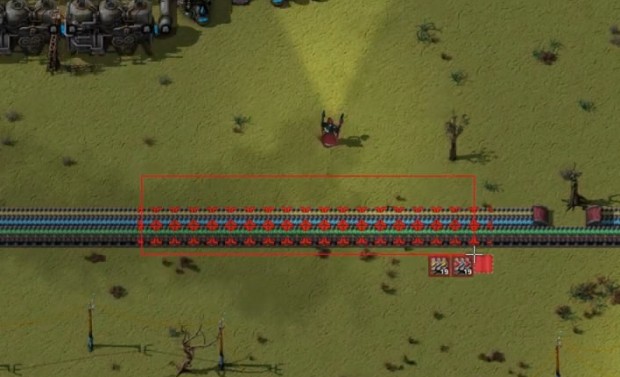
And finally Alt + D lets you mark things for deconstruction, while Alt + U marks things for upgrading - just mark stuff, and the robots will handle the rest.
Got any questions?
And that's the lot. Fourteen tips to make your first factory significantly less of a disaster than mine was - which isn't exactly a high bar to cross, but still. If you have any questions about the guide or Factorio in general, drop them in the video's comments. I'll do my best to help you out.